Projects, profiles and sharing¶
If you look after more than one Fluxtion application, you keep swapping the same things: source roots, Maven
repositories, event processors, saved charts, reports. A project profile holds them in one file beside the
project's code, <project>/.analyser/project.fluxtion-settings, so moving between applications is one click.
A profile also carries what the team knows about the system: pointers to its runbooks and glossary, its environments, the analyses it runs every time, and where its reports go. It is designed to be committed with the code, so a colleague who clones the repository opens the same workspace. And settings can travel without a project, as a shared settings file.
With no project open, the analyser uses your own settings. Projects are opt-in.
What is kept where¶
Every setting has one home. Project settings live in the profile, and switching project swaps them. Machine
settings live in ~/.fluxtion-analyser/config, for you on this machine, and a project never carries them. Nothing
is in both, so there is no rule about which wins.
| Setting | Home | In a shared settings file: category (default) | In an evidence bundle |
|---|---|---|---|
| Source roots, and the workspace anchor | project | Source roots (on) | no |
| Maven repositories, and whether to search them | project | Maven repos (on) | no |
| Event processors, and the active one | project | Event processors (on) | no |
| Saved charts and named topology focuses | project | Graphs and named focuses (on) | yes, except a chart with an external CSV series or markers |
| Investigation reports and spotlight walks | project | Investigation reports and spotlight walks (on) | yes |
| Hidden columns | project | View (on) | yes |
| Runbook pointers and their descriptions | project | Runbook LOCATIONS and descriptions (off) | no |
| The glossary pointer | project | Domain glossary LOCATION (on) | no |
| Environments | project | Environments (on) | no |
| Saved analyses | project | Saved analyses (on) | no |
| Report destinations, and the project's exchange folder | project | Report destinations (off); the exchange folder only in a project profile | no |
| The in-app assistant's two action limits (Max action rounds and Max actions per reply) | machine | Assistant limits (on) | no |
| External MCP/REST access, Let the in-app assistant change the views as it answers, and the in-app assistant's per-turn budget | machine | never: an import that finds one of the two switches names it and ignores it | never |
| The in-app assistant's provider, model and base URL | machine | LLM provider/model/base-URL (never the API key) (off) | no |
| The in-app assistant's API key | machine | never | never |
| Claude Code's switches, mode, model and spend limit; confirmed folders; file exchange; project creation; the machine's exchange folder | machine | never | never |
| AWS profile and region, theme, window size, recent files, search history, topology display | machine | never | never |
| Session-recovery candidates | machine | never | never |
The Fluxtion build key, for regenerating a processor, is not an analyser setting. It lives in
~/.fluxtion/fluxtion.apiKeyFile, managed from AI ▸ Fluxtion API key…, and cannot enter a profile, a settings
file or a bundle. The Project panel says whether that file has a key; it cannot know whether a build will be given an
overriding -Dfluxtion.apiKey, and says so.
A shared settings file cannot turn on External MCP/REST access
The Assistant limits category carries only the in-app assistant's two action limits, Max action rounds and Max actions per reply. No access switch is ever exported, applied on import or kept in a project profile: External MCP/REST access, Let the in-app assistant change the views as it answers, file exchange, project creation and the Claude Code switches are set on each machine. A file that carries one anyway (made by an older analyser, or by hand) has it ignored, and the import summary says so, for example "External MCP/REST access is set on this machine only — this file's value was ignored". To turn external access on for a team, each person ticks it once on their own machine.
A generated project may also carry skills.provenance, a value-free identity such as canonical@<revision> saying
which vendored skill snapshot it received. The Project panel shows it as a fact; the analyser never fetches anything
because of it. A hand-edited skills.source is refused: a shared project must not redirect the instructions an agent
reads.
Source roots also authorise reading the Spring XML design and the producer results under them. For Spring design
rendering, include the design directory and a root containing target/. A file inside the project but outside the
configured roots is refused (Source navigation).
Start a project¶
- From a template: Project ▸ New project from template…, or From template on the start page, downloads a starter project from the playground's catalogue into a new or empty folder, and opens the project profile it ships, if it ships one. It builds and runs nothing (Starter templates and examples).
- With the assistant: ask Claude Code in the analyser to build a new application, and it offers one of the analyser's starters for you to confirm (Create from a starter with the assistant).
- For code you have: Project ▸ New project…, below; or let Claude Code look at the folder and propose the set-up (Set up a project with Claude).
- From a log: open an audit log that sits inside a project folder, and the analyser offers to open that project (Opening a log inside a project).
Create from a starter with the assistant¶
Spring is the preferred route: start with a template, then load the skills. Claude Code in the analyser can list the
analyser's starter templates (context.starters: each one's id, name, description, how its graph is authored, where
it runs, and whether its build needs a Fluxtion key, Spring first and recommended) and propose one. It never
creates the project itself, and it never names a folder.
- The proposal. A banner says Claude Code has a proposal; Review… opens one row: Create a project from starter Fluxtion Spring XML (Spring XML · embedded · AOT · build needs a Fluxtion key; none found on this machine), Claude's reason in its own words, a Folder with Choose…, and Downloads from fluxtion-playground.dev; nothing is built or run. The row starts at No, and Apply chosen stays disabled until you choose a new or empty folder. A starter's build that needs a key says so whether or not one is found.
- The download. Only your Apply downloads, from the configured HTTPS origin, and unpacks with the same checks as New project from template…. Nothing is built or run.
- The skills. The analyser writes the project's skills from its own copy — the canonical set for the starter's
authoring and host and, for Spring, the playground's design skill and XML contract, each checked against its
pinned digest — under
.claude/skills/. A file already there is never overwritten. The design skill and contract are bundled with the publisher's permission (owner, 2026-10-18); the playground's licence statement is pending (UP-PG-10). Once every pin has matched, the placeholders the analyser's first-run record for the starter can answer are filled in, and nothing else: add-a-node's regeneration command becomes the starter's own steps (for the Spring starters./check-fluxtion-key.sh,./setup.sh,./validate.sh,./generate.sh) and whether they need a Fluxtion API key; run-mongoose-server's start command becomes./run-server.shand run-embedded's becomes./run.sh, each with the steps the record runs before it. The placeholders the record cannot answer — the export command, the log and GraphML paths, the stop command, the class an embedded run starts — stay as they are, as does every placeholder for a starter with no record (on Windows, none has one today)..claude/skills/.vendored.jsonlists each file's pinned source digest and its written digest, and one note per placeholder: filled, or kept and why. Filesystem writes are not transactional: a failure can leave some skill files without a new digest record. The status reports incomplete installation; inspect those files before relying on the skill set. Existing files and an existing digest record are never overwritten. The project review still proceeds. - One review. What opening the project puts in force: with the starter's own profile, one row opens it (its source
roots, processor and runbooks named); without one, each discovered source root and skill is a row. Every row
starts at No except the Spring design folder (
src/main/fluxtion/designer), which is pre-ticked: it is inside the project you just created, and it is needed to show the Spring design. Close opens nothing and leaves the files. - Synced. The project opens, its Spring design is shown at once, and the analyser watches for the first build's GraphML and offers to open it, which pairs it with the project's logs.
- Back to Claude. The project's folder is not the folder the session started in, so the analyser offers to
restart Claude Code there (the folder is confirmed as for any Start); the new session loads the project's
CLAUDE.mdand the skills. A short draft is placed — Project … was created from starter …; read PROJECT.md and the spring-authoring skill, then lead the Spring design conversation. — and nothing is sent until you press Send.
Your Apply is the consent, so Allow the assistant to create projects does not gate this path. The same chain runs from Project ▸ New project from template…, which ends by showing the starter's own commands instead of a draft.
Switching to another project, or closing the project, cancels this starter's later automatic opens and drafts, including an unanswered first-build graph offer. Downloaded files stay where they were written; a draft already placed is not erased. A failed switch or re-opening the active project leaves the starter running.
Opening and switching¶
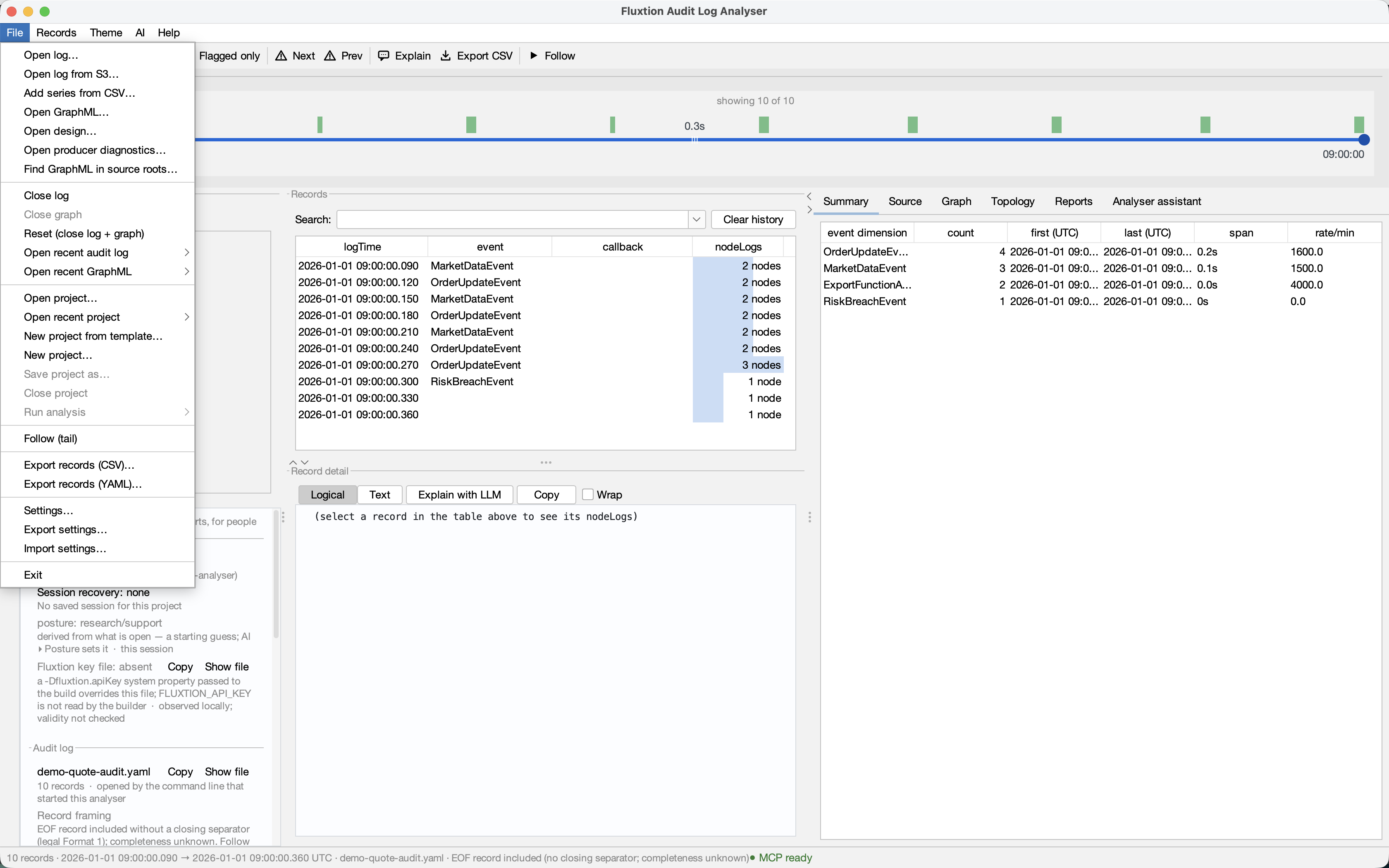
Project actions have their own top-level menu: they change which project's settings are in force. Use Sources and Audit log for the inputs you inspect. Save project as… and Close project are greyed out until a project is open.
Project ▸ Open project… — pick the project directory, or its .fluxtion-settings file directly.
Opening a project can offer to reopen its log and topology. Only an open you started yourself can make that offer: an
assistant's open {project} cannot inherit your permission to be asked. The offer's lists say whether they come from
project locations or from machine recent files; the second makes no claim that the file belongs to the
project.
- Project ▸ Open recent project — the last ten, most recent first.
- Project ▸ New project from template… — downloads a catalogue-selected starter into a destination
you approve, safely extracts it and opens its bundled profile. It shows commands but runs none. Its
destination dialog carries one unchecked option to create a
CLAUDE.mdof canonical authoring links in a legacy or support-disabled project. Current support-enabled templates ship agent entry files; a template that does ship one keeps it — the file is never overwritten, and the status line says which happened. - Project ▸ New project… — chooses a directory, then offers the Java source roots,
SKILL.mdrunbooks and GraphML it can already see there, plus one option that is different in kind: creating aCLAUDE.mdin that directory pointing at the canonical Fluxtion authoring documentation. Every box starts off: finding is not adding. Confirm only the facts this analyser should adopt; an empty directory produces an ordinary empty offer and can still become an empty profile — theCLAUDE.mdoffer appears there too, since it is the case where it helps most. It never inherits whatever you happened to have open, or "new project" would just be a slow way to copy one. If the directory already has a project you are asked straight away whether to open it instead, before any offer is shown, and a folder that does not exist is refused (make it first — New project… does not create one); discovery reads only inside the folder you chose, never through a link to somewhere else; and if the profile cannot be written — or one appears while the dialog is open — the create is refused with a warning and the settings you had stay exactly as they were. - Project ▸ Save project as… — forks the current settings to another project, which becomes active.
- Project ▸ Close project — returns to the settings you had before you ever opened a project.
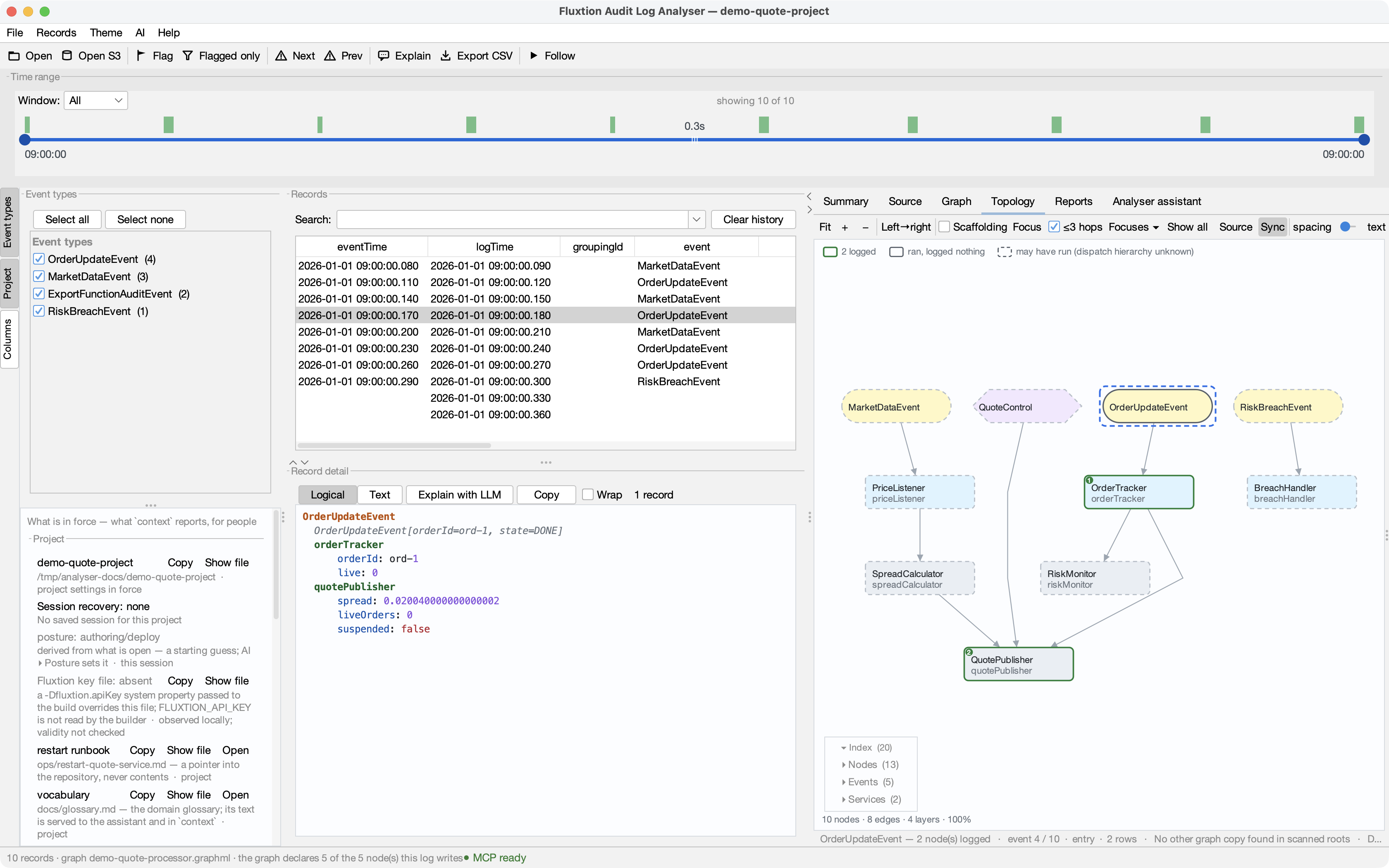
With a project open, its name sits in the window title — so which settings am I using right now is never a guess.
The day-two journey¶
After trying a prepared example, use Project ▸ New project… on your own repository. The one offer is the hand-off from demo to real work:
- review the detected
src/main/javaroots (including one-level Maven modules); - choose any project-owned skills that should become declared runbook pointers;
- optionally choose one discovered GraphML topology to open;
- optionally ask it to create a
CLAUDE.md— see below, this one writes a file; - confirm once. Only those checked facts enter the new profile.
The scans are bounded and skip build output, dependencies and symlinks. If a safety cap is reached the dialog says the offer is partial rather than presenting it as the whole repository.
The one option that writes to your repository¶
Choices 1–3 record pointers in the analyser's own profile and change nothing in your working tree. The
CLAUDE.md option is different and is described separately for that reason:
- it creates a file in the directory you chose — the only documentation the analyser ever writes into a repository;
- it contains links and one line each, to the canonical Fluxtion authoring resources, and deliberately restates none of their content. Improving those pages improves the file, which is the point of pointing rather than copying;
- a link that applies only to Spring-authored projects is written only when the directory looks Spring-authored;
- it never overwrites an existing
CLAUDE.md. If you already have one, the dialog says so and the option is not offered; if one appears while the dialog is open, the write is refused and you are told; - it is unchecked by default, like everything else in that dialog, and it does not enter the profile — the profile records pointers to files, and this is a file, not a pointer to one.
Switching replaces, it doesn't merge
Open project B while A is active and A's source roots are gone, not listed underneath B's. That is the whole point: importing one project's settings on top of another's is how you end up with four projects' source roots and no idea which is which.
A profile that mentions no graphs leaves you with no graphs — the replace covers every project category, not just the ones the file happens to contain.
Switching a project closes the log and graph
A profile owns your source roots, event processors, named graphs, focuses and reports. Swap it and all of those change underneath whatever you were looking at, so the log and its topology are closed with it — otherwise you'd be reading one project's log through another's settings.
The exception is accepting the "this log sits inside a project" offer: there the project is adopted because you opened that log, so the log stays.
Your own settings are kept¶
The first time you open a project, the source roots and graphs you had are not deleted. They become your "no project" settings, and Close project brings them back. A year of accumulated configuration is not something a single click should consume.
Edits save as you make them¶
There is no Save project. Change a source root, add a graph, hide a column — it persists to the active project, the same way the analyser has always saved its config. Writes are debounced, so a burst of edits becomes one write rather than fifteen; a profile is often a committed file and a legible diff is what gets it reviewed.
This includes edits made by an assistant over the socket. If an agent adds a source root with
analyser_source_root, that lands in the active project like any other change.
Committing a profile to your repo¶
.analyser/project.fluxtion-settings is designed to be committed, like .vscode/settings.json. Clone
the repo, open the analyser, and the project's source roots, event processor and curated graphs are
already configured.
For alternative configurations of the same project, keep named profiles alongside it, such as
.analyser/project.demo.fluxtion-settings. Open a named profile explicitly with
open {project: "path/to/project/.analyser/project.demo.fluxtion-settings"}. Canonical and named
profiles both resolve relative paths from the directory containing .analyser/. Automatic discovery
still looks for project.fluxtion-settings; other settings filenames retain their own directory as
the relative-path base.
Why it's safe to commit
A profile cannot contain either your LLM API key or your Fluxtion build-key value. The LLM key
is outside the project tier, while the build key never enters AppConfig at all: its dialog writes
straight to the established local Fluxtion file and then forgets the value.
The same holds for your AWS profile, your theme and your window size: all machine-tier, none of them
written to a profile. And paths under your home directory are stored ~-relative, so a teammate's
checkout resolves them on their own machine.
A path that is neither absolute nor ~-prefixed is relative to the project root — the directory
that holds .analyser/ — so a hand-written sourceRoot.0=src/main/java means what it says, the way
it would in .vscode/settings.json. The analyser writes the file the same way: paths under the
project come out project-relative, and there is no timestamp, so opening a project and changing
nothing leaves the committed file byte-for-byte as it was. A diff in that file means a setting
changed.
Treat a committed profile as config-as-code: it evolves, and the diffs are worth reviewing like any other change.
Opening a log inside a project¶
Open an audit log that sits anywhere under a project directory and the analyser offers to load that project. This is what makes a downloaded example configure itself — get the bundle, open its log, and the source roots and graphs are set up without touching Settings.
It asks once per log, never for a project that's already open, and takes "no" for an answer for the
rest of the session. Opening a log from s3:// never triggers it: the object is streamed to a temporary
file, and a temp directory isn't a project.
From an agent¶
An assistant working over the action socket sees the same offer as data —
context reports projectOffer with the settings path — and accepts it with
open {project: "<that path>"}; the same call opens any project by directory. It also reads which
project is in force (context.project) and leaves one with open {close: "project"}.
The verb applies rather than asks, because a question nobody can answer over the socket would
freeze the app. What makes that safe is the answer it gives back: every project-owned category with
its count before and after the switch, the log and graph it closed and where they were (an explicit
switch is a session boundary, exactly as it is from the Project menu), the project that was active before,
and the one call that undoes it. Your MCP client's own approval prompt on open is where a human says
yes or no.
An agent can also create a project, through the same discovery as Project ▸ New project… rather than
by writing a profile by hand: open {project: "<absolute dir>", create: true} previews the offer and writes
nothing, and open {project: "<absolute dir>", create: {sourceRoots, skills, referenceGuide, offerDigest}}
creates it with only the items named from that offer. Opening a graph is a separate open {graphml}.
See the open verb for the full contract.
An assistant creates a project only with your consent
Settings ▸ Assistant ▸ Allow the assistant to create projects is off by default, and it is this machine's setting alone: it is never stored in a project profile, a shared settings file or an evidence bundle, so a repository you clone cannot turn it on. It gates an assistant — over MCP/REST or the in-app assistant — and never you: Project ▸ New project… works whatever it says. A create never overwrites an existing project; the project it creates becomes the one opened at the next start.
If a project moves¶
If the active project's file is gone — repository renamed, checkout deleted — the analyser starts normally, says so in the status bar, and forgets the pointer. It never fails to open because of a project, and your machine settings are untouched.
Saved chart definitions remain visible in the Project panel and context.savedGraphs after reopening
a profile without a log. They are waiting for input, not proof of restored data or valid series bindings.
A project's processor declarations, and opening a project with no log, are described on The Project panel.
Restore an earlier session¶
Closing a project or quitting records a recovery candidate in your local analyser settings. Opening the project again or relaunching offers Restore last session on the start page. Nothing opens until you accept. Dismiss leaves the project declarations available without opening evidence. The Project panel states the same recovery status; its buttons remain navigation only.
Restoration checks file contents and then opens the unchanged log (or complete rolled set), topology, design and producer diagnostics. Missing or changed parts are named individually. An incomplete or changed rolled set is refused as a unit, including a member that changes during the restoring read. Saved record filters, selection and topology navigation require matching input identities; a replaced file cannot silently acquire the old cursor. Recovery reports the record filter's visible/total count and any saved chart window wholly outside the log. A pin is preserved deliberately: unpin that chart explicitly to follow the current data.
context.restoration reports the offer, verification, pending opens and final outcome. Use
open {restore: "last"} to accept or open {restore: "dismiss"} to decline, each alone. A pending response
is not proof that the files loaded: wait for the final state and inspect the outcome. Neither action runs
the project, its build scripts or its runbooks. If a newer open supersedes recovery, its state returns
to offered; wait for that open to finish before accepting again, or dismiss the offer. Buttons retain
the generation of the offer they displayed, so a stale button cannot accept another project's offer. An MCP request
addresses whichever offer is current when it is handled.
Candidates are keyed by canonical project-profile location, with a separate no-project bucket. They are not shared in profiles or exported ZIPs. A moved or missing project never inherits another project's session.
Each candidate also records which profile captured it. The identity is a random profileNonce that the
analyser writes into the profile once, when it creates the profile, and keeps on every later save. It is
taken when the session is captured, not later when the candidate is written out. A project deleted and
created again at the same location has a new profile with a new nonce, so it is not offered the old
project's session even though the path matches. The offer is withheld, and context.restoration reports
capturedBy: "different profile at this path", when the session was captured (capturedAt) and what it
would have opened (inputs). A re-extracted download is withheld too: its profile usually has no nonce
yet (see below).
The nonce is part of the file's contents, not a file-system property, so it behaves the same on macOS,
Linux and Windows. The tools that usually rewrite a committed profile are a git pull or checkout and an
IDE that saves by writing a temporary file and renaming it. Both keep the identity as long as they keep the
profileNonce line. Checking out a version that has a different nonce, or none, changes it. A copy of the
file (a clone, or an archive of a committed profile) carries its nonce. At another location it is a
different recovery key anyway; at the same location it counts as the same profile, and every input is
still checked before anything opens. A share export never includes the nonce, and importing settings never
changes it.
A profile with no nonce, written by an older analyser version or shipped in a downloaded bundle, gets one
the first time the analyser saves a change to it. Opening it alone writes nothing. Until then, and for any
candidate saved by an older analyser version, the session is withheld with capturedBy: "unknown". A
missing identity is never treated as a match.
Legacy global recent-log/topology paths remain explicit recent-menu choices, not automatic startup opens. A command-line log opens only that requested log.
Identity here means observed file bytes, not proof of the application's build or execution identity. Record navigation is withheld when an input has no stable local read identity (including a growing log changed since loading or a temporary remote input). Topology navigation requires an unchanged explicit graph file; a reader-supplied graph has no separate file identity. Commentary and spotlight captions are not saved by session recovery. Reports retain their existing evidence and freshness rules.
Built-in YAML and rolled files calculate the full SHA-256 from the indexing read; there is no size cutoff or metadata-only shortcut. Capture and accepted restoration still verify current file bytes. Plugin readers that own their I/O retain before/after full-file checks. Thus the indexed-reader optimisation removes two extra traversals on native opens, not all hashing costs or verification passes everywhere.
Files changed outside the analyser¶
The Project panel and context.log.freshness / context.graphPairing.freshness separate
loaded file observations from metadata on disk. The loaded record count, time range and byte size
do not quietly adopt a newer file's size. Reopen the same log or GraphML path explicitly to replace
the loaded snapshot. The analyser does not select new evidence just because a file changed.
These observations compare size, modification time and file identity. unchanged-metadata is
not proof of identical bytes; a writer preserving all metadata can evade this cheap check.
Recovery's full SHA-256 verification is unchanged. Unknown observations stay unknown. Follow still
uses its explicit append/rotation route; a growing pending tail can be reported changed before
its next complete record is indexed. Exported reports identify the loaded snapshot and its metadata
observation instead of presenting it as the latest disk contents.
Producer comparisons are as of intake. If an observed result, receipt, authoring record or
Java source changes, the Source header and design input facts expire the old comparison and ask
you to reopen diagnostics. open {discover: "diagnostics"} lists the candidates; it does not
select a newer result. Context and returning focus to the window refresh these observations.
Portable context: what the team knows¶
A profile carries more than settings: named focuses with the reason each was saved, investigation reports, and pointers to the team's runbooks and glossary. That makes it a workspace: what the team knows about this system, portable between a person and an AI working on the same log, and between one machine and the next. What is allowed in is decided by one rule. For the AI side, how an assistant finds and uses these, see Runbooks, glossary and saved analyses with an AI.
Three tiers, decided by whether the stored thing runs¶
| Tier | What it is | Examples | Travels in a shared profile? |
|---|---|---|---|
| 1 · Facts | Inert statements about the system | glossary, environments, runbook locations | Yes: this is what sharing is for |
| 2 · Analyses | Sequences of analyser verbs | saved charts, focuses, reports, saved analyses | Yes: a saved analysis can only drive this viewer, because no server verb is on the analyser's action socket |
| 3 · Runbooks | Knowledge that causes something to happen elsewhere | build, deploy, restart, pull logs | Never as content: only as a pointer |
A runbook is a pointer¶
The profile records "the deploy runbook for this system is ops/deploy.md", relative to the project
root. It does not record the commands.
anything in a profile that an agent will act on must be inert, or a pointer to something under version control — never an instruction the profile itself carries.
Why it matters: profiles move by email and in repositories. If a profile could carry instructions, opening a colleague's project with an agent attached would execute text written by whoever sent the file. With a pointer, the executable content stays in your repository — reviewed, diffed, attributable, revertible — and the trust boundary becomes "you cloned this repo", which every developer already evaluates, instead of "you opened a file someone sent you", which nobody does.
What the analyser does with a pointer: shows it — to you. Open on the Project panel's runbook row reads the file in a read-only viewer, as written; Show file opens it in the file manager. The analyser never executes a runbook and never serves its contents to an agent — an agent that wants to deploy reads the file from the repository with its own tools; the analyser only tells it where.
Recording one¶
In the profile itself — .analyser/project.fluxtion-settings, committed with the repository:
runbook.count=2
runbook.0.name=deploy
runbook.0.path=ops/deploy.md
runbook.1.name=pull-logs
runbook.1.path=docs/runbooks/pull-logs.md
That is deliberate, and it is the whole point of the tier: the file that says where the runbooks are
is reviewed, diffed and attributed like the runbooks themselves. There is no action-socket verb for it —
an agent recording pointers into a profile would be the one unreviewed path into a reviewed file, and the
analyser's verb surface is a compatibility surface that grows only when a verb has no home in an existing
one (open absorbed close, discover and project for the same reason).
The value is validated at every entrance — the profile loader, share import and share export — and refused with a reason when it is anything but a plain relative path inside the project:
- absolute paths, drive letters,
~, URLs ..anywhere in the path- spaces, quotes,
$,;,|,&,<,>,*,?, backticks, line breaks — everything a command line needs - more than 200 characters
Opening a project whose profile carries such an entry says so in the status bar — "⚠ runbooks: 1 entry REFUSED — not a project-relative path: …" — and the pointer beside it still loads. A share file that carries runbook contents imports the same way.
Write it in the skill shape¶
The analyser needs only the path, but write the runbook file the way an AI harness loads a skill —
frontmatter name and description, then the steps (see Runbooks, glossary and posture). A pointer may target a skill file directly (.claude/skills/deploy/SKILL.md), so one
file serves the team, Claude Code and the analyser. Its description appears in context and on the Project panel,
so a model can pick the right runbook without opening all of them.
Where you see it¶
The Project panel lists each pointer under the project row — deploy runbook: ops/deploy.md ·
project — with Open (read it here), Copy and Show file acting on where it lands on your machine,
and a warning when the file is not there. context reports the same under runbooks (name, path, resolved, exists, from),
so an agent and a person read one set of facts.
Sharing it¶
Project ▸ Export settings… has a Runbook LOCATIONS and descriptions checkbox. It is off by default: a path such as ops/deploy.md says something about how your
repository is laid out, so it leaves only when you tick it.
Vocabulary — what live means here¶
Two readers need exactly the same thing and neither has it: an LLM answering about a processor it has
never seen, and a support engineer in their first week answering about a system they did not build.
The node is called spreadCalculator; what the number means is in somebody's head.
The project points at a glossary — a markdown file in the repository, the same rule as a runbook (owner decision, 2026-08-27: one rule for pointed-at content, not two):
The file is yours to shape. What earns its place: what each domain term means in this system (live,
suspended, breach), what a normal value looks like (a typical spread, an unusual one), which nodes
matter and which are plumbing, which events are routine and which never are.
What the analyser does with it — this is the one pointer whose contents it reads. A glossary is
tier-1 fact: inert, read, never acted on. So its text is served in context (vocabulary.text, capped at
16 000 characters) and placed first in the in-app assistant's prompt for every Ask question — before the record, because
what live means decides how every number in the record reads. A runbook's contents are never read; a
glossary's are the point.
The pointer is validated at every entrance like a runbook's; a refused value is announced in the status bar on project open. It travels by default under Domain glossary LOCATION (a markdown file in your repository — never its contents) — inert, so there is nothing to consent to beyond a path.
The Project panel shows it under the project row — vocabulary · docs/glossary.md, warning when the
file is missing.
Environments — which system this log came from¶
Two environments running the same build emit logs identical in shape and usually in filename. Only a declared value separates them, and today that value is typed by whoever wrote the export script, per site. The failure this prevents has no symptom: an answer correct about UAT and read as production.
The project declares its environments and, for each, the §E provenance a log from it carries:
environment.count=2
environment.0.name=prod
environment.0.provenance=risk-engine · prod · ldn
environment.0.logDir=logs/prod
environment.1.name=uat
environment.1.provenance=risk-engine · uat
environment.1.logDir=logs/uat
environment.default=uat
When a log is opened without a declared provenance, the analyser looks for the first environment
whose logDir contains the file, then the default; the match supplies the provenance that rides the
status bar, report headers and the mismatch banner. It never guesses: with no logDir match and no
default, the log has no provenance, as before.
A declaration always wins. open {log, provenance} from an agent — or a server that knows which
environment it is — beats the project's environments, and context.provenanceSource says
which answered: declared by the opener, project environment 'prod' — the log is under logs/prod, or
project default environment 'uat'. The Project panel's log row carries the same words.
A matched provenance is qualified wherever it leaves the session: a report's header reads "risk-engine ·
prod (matched by directory, not declared) · 5821 record(s)", because directory matching is a heuristic
about the filesystem standing in for a claim about a system — a prod log copied into logs/uat/ to be
looked at matches honestly and wrongly, and the report is read by someone who was not there. Two rules
worth knowing: with nested log directories the environment declared first wins, so declare the more
specific one first; and a remote open (S3) with no local copy takes only the default, which is then
reported as exactly that — a project that does not want remote logs stamped declares no default.
Environments travel by default in a shared profile, under Environments (names, the provenance
string each stamps — which may name systems and hosts — and their log directories; never log data):
the label says exactly what leaves, because a provenance string is estate detail even if it is not a
secret. logDir is a pointer and passes the same gate as a runbook's.
Repeatable analyses — the one we run every time¶
Open this log, filter to that node, build those series, produce that report — saved by name, with its rationale, because a saved view without its reason is an unexplained view (the pattern named focuses set). Parameters are declared and bound when it runs, so one analysis serves every incident of a kind.
analysis.count=1
analysis.0.name=spread breach
analysis.0.rationale=every breach incident starts the same way: the spread before it
analysis.0.param.count=2
analysis.0.param.0.name=log
analysis.0.param.1.name=node
analysis.0.param.1.default=quotePublisher
analysis.0.step.count=3
analysis.0.step.0.action=open
analysis.0.step.0.params={"log": "{log}"}
analysis.0.step.1.action=filter
analysis.0.step.1.params={"text": "{node}"}
analysis.0.step.2.action=graph
analysis.0.step.2.params={"name": "Spread — {node}", "series": ["{node}.spread"]}
Each step is an action-socket verb with its params exactly as the socket would receive them; {name}
anywhere in a value is replaced by the bound parameter.
Tier 2, by construction — and by enumeration. A saved analysis can drive this viewer; open a log or
graph inside the project (or one you bind at run time as a {parameter}); add source roots inside
the project; and write a report or screenshot only into the exchange directory. It cannot switch or
close a project (a session boundary is a person's act — refused as a step), cannot name a path outside
the project (every path in a step — open.log/logs/graphml, source_root.add/remove, report.path,
screenshot.path — passes the same gate as a runbook pointer: project-relative, no .., no command
shapes), and cannot reach a server, because server verbs never appear on the action socket. Project-
relative paths in open and source_root steps resolve against the project root when the analysis runs,
so the same analysis works from any checkout; report and screenshot paths are relative to the exchange
directory. Closing a log or a graph is a legitimate step.
Recall is an offer. context.analyses lists each analysis with its rationale and the parameters it
declares; nothing runs by itself. To run one:
- Project ▸ Run analysis ▸ name — a small dialog asks for the parameters (defaults prefilled).
open {analysis: "spread breach", bind: {log: "/path/to/audit.yaml"}}over the socket.
Steps run in order through the same dispatcher the socket uses, so every guard a verb has applies, and the run stops at the first failure — the echo reports each step and where it stopped. A parameter with no value and no default refuses the run and names itself.
Analyses travel by default under Saved analyses (named analyser-verb sequences with their rationale — they can only drive this viewer, never a server). The Project panel lists them under Analyses — the offer stated, with no run button, because a button that runs verbs would change what the app shows.
Report destinations — a place, never a credential¶
The project may record where an investigation report is published — a bucket, a directory, a ticket system's base URL:
destination.count=2
destination.0.name=incident-bucket
destination.0.location=s3://acme-incident-reports/quote-service
destination.1.name=shared-drive
destination.1.location=/mnt/shared/reports/quote-service
It may never record how to authenticate there, and the gate makes that structural rather than
polite: a URL with user info, a query or a fragment is refused (tokens travel there); anything matching
a credential's shape (AKIA…, token=, password=, Authorization:) is refused with the reason; S3
locations must be s3://bucket[/prefix] and directories plain paths. Credentials continue to come from
the environment the publisher already runs in.
The analyser does not publish. It states the place — in context.reportDestinations and the
Project panel's Reports section (publish to incident-bucket: s3://… · s3) — so the agent that rendered a
report knows where it belongs and publishes with its own credentials. File-writing verbs stay inside the
exchange directory, and the analyser gains no server-side code, which is a standing decision.
One shape no inspection can catch: a webhook. https://hooks.slack.com/services/… is a credential
in path form — anyone holding it can post to the channel — and "publish the incident report to the team's
channel" is the first thing a support team would paste. The known webhook hosts (Slack, Teams, Discord,
Zapier, Telegram, Google Chat) are refused by name, and the Report destinations share checkbox is
off by default, like LLM: a field that can hold a secret is shared knowingly or not at all. Publish
to a channel through the agent's own configured integration; record the place the report belongs.
Path anchors — one rule, and the anchor that was missing¶
Three forms of path already exist in a profile and are chosen automatically, most specific first:
project-relative when the path is under the project root; ~/… when it is under your home;
absolute otherwise. There is deliberately no per-path toggle: a profile whose paths were each chosen
by hand is one where portability varies row by row, nobody remembers why, and the failure appears on a
colleague's machine.
The gap was an anchor. A sibling checkout — ../shared-lib/src/main/java, the monorepo neighbour —
is outside the project root, so it was written ~/work/shared-lib/…: portable for you on another
machine, silently wrong for a colleague who checks out somewhere else. Declare once, per project, where
the workspace is:
A root under that anchor (and not under the project) is then written relative to the project with ..
steps — sourceRoot.0=../shared-lib/src/main/java — and resolves against the profile's own directory on
every machine. The anchor must be ., .., ../.. … (at or above the project root, at most six up);
anything else is refused and announced. It rides the Source roots share category and applies to Maven
repos too.
Declare it where the roots are. Settings ▸ Source roots has a Workspace anchor control above the
list. It is a short list, not a folder chooser, because the value is a depth: each entry shows the
directory it resolves to on this machine and how many of your current roots it would make portable, so
you pick the shallowest one that covers them by reading the list rather than by working out what ../..
means for your layout. The filesystem root is never offered — every path is under it, so it would claim a
perfect score while writing your machine's whole layout into the profile as a run of .. steps.
This does not weaken the pointer rule. Runbook and vocabulary pointers stay project-relative with no
.. — those are things an agent acts on, and the trust boundary is the repository you cloned. Source roots
and Maven repos are inert lists the analyser resolves, and may use the wider anchor.
And it is visible. The Project panel's Source roots section shows each root's stored form — project-relative, workspace-relative, ~, absolute — and, under a project, marks absolute and ~ roots as a warning: this profile will not resolve them on a colleague's machine. That badge, on a row in a profile you are about to share, is the whole warning, delivered before the failure.
Mixed versions — a newer profile survives an older analyser¶
A profile is committed with the repository, and not everyone on a team runs the same analyser build. An older build that opens a profile written by a newer one keeps every key it does not understand when it saves: it rewrites only the key families it owns (so removing a runbook still removes it) and carries the rest over byte for byte. The loader, likewise, ignores what it does not know — never rejects. So a project can adopt a new kind of fact without waiting for every teammate to upgrade, and nobody's save quietly strips it.
Sharing settings with a file¶
Share an analysis setup as one file, so a team investigating the same processor starts from the same source roots, event processors and named charts, formulas and pins included. Use a shared settings file to pass a setup to someone without a project; to give them the project itself, commit its profile.
Export¶
Project ▸ Export settings…, then tick what to include. The categories, and their defaults, are in the table in What is kept where. What some of them carry, in more detail:
| Category | What leaves |
|---|---|
| Source roots | your source directories, and the project's workspace anchor (workspaceRoot=..), which lets a sibling checkout travel as ../shared-lib/… |
| Maven repos | local repositories, and the search switch |
| Event processors | the class names and the active one |
| Graphs and named focuses | named charts (series, formulas, resolve policy, pinned windows, notes, guides, condition bands, external-CSV definitions, marker definitions: never their extracted values) and named topology focuses (node sets and rationale) |
| Investigation reports and spotlight walks | report and walk definitions: section references, table column specs, the authoring context (log fingerprint and filter, including any provenance string naming the system the log came from, such as risk-engine · localhost:8081 · ~/dev/risk), walk steps and their conversations, and any narrative text the author (often an agent) wrote about your data. Never log records: evidence re-renders from the recipient's own log. Narrative is why this is its own checkbox |
| View | hidden columns |
| Assistant limits | the round limit and the per-reply cap only; never an access switch. See What is kept where |
| LLM provider/model/base-URL (never the API key) | the in-app assistant's provider, model and base URL, and never the API key |
| Runbook LOCATIONS and descriptions | name, project-relative path and one-line description, such as deploy → ops/deploy.md: a pointer into your repository, never its contents (A runbook is a pointer) |
| Domain glossary LOCATION | the vocabulary=docs/glossary.md pointer, never the file's contents |
| Environments | names, the provenance string each stamps (which may name systems and hosts) and their log directories; never log data |
| Saved analyses | named analyser-verb sequences with their rationale; they can only drive this viewer, never a server |
| Report destinations | places only (a bucket, directory or base URL). Credential shapes and known webhook hosts are refused on export and import; the box is off because a webhook URL cannot be told from a place by inspection |
Every label names its cargo: ticking the box is consenting to exactly what it says.
A shared chart that uses external series carries the CSV's definition (path, columns, clock), never its data, so it may depend on a local file the recipient does not have. Opening such a chart draws everything else and says what did not resolve.
Then Copy to clipboard, Save file… (a .fluxtion-settings file, revealed in your file manager), or
Email….
What is never shared¶
Your API key, AWS profile and region, recent files, search history, window and theme, External MCP/REST
access, Let the in-app assistant change the views as it answers, file exchange, project creation, Claude Code's
settings and your confirmed folders are never exported, and the same whitelist is enforced on import, so a hand-made file
cannot plant or overwrite a secret. Paths under your home are written ~-relative so they survive a move to another
machine. A runbook's contents never travel, and a value shaped like a command is refused, with a reason, on
export and import.
Import: merge or open?¶
Project ▸ Import settings… asks which of two things you mean:
| Choice | What it does | Use it when |
|---|---|---|
| Merge (share) | Adds the file's settings to what you have now | A colleague sent you their setup and you want their charts alongside yours |
| Open as project (replace) | Replaces the project tier and makes the file the active project | The file is a project, and you want to work in it |
A merge shows a per-category summary (what is new, what would be replaced) before anything changes. Untick any category you do not want. A switch the file carries that is set on each machine is listed as ignored, never applied. On apply:
- Lists merge (source roots, Maven repos, event processors): nothing local is deleted.
- Charts merge by name: an incoming chart replaces a same-named local one; new names are added.
- Single values (the active processor, the assistant's two action limits, the LLM fields) are overwritten only when present and ticked.