Find the first recorded breach
A conversation journey: a spotlight walk over the DEMO quote-series log, with a scripted conversation shown beside the analyser's own views as you step through it. Download the bundle, open it, and press Play.
| What it teaches | Finding where an application logged a breach — its own RiskBreachEvent — and what supports that answer, rather than the first time a value crossed a limit |
| Steps | 4 |
| Duration | about 3 minutes (an estimate: four stops, read at your own pace) |
| Needs | an analyser newer than 1.28.0 — the first release with conversation journeys. Older ones (1.27.0 and 1.28.0 checked) open the bundle and play the walk without its dialogue |
| Download | find-the-first-recorded-breach.fexp — 20,242 bytes, sha256 cbd8f28dbc50263d45678cc926f089e6ad5cffab1a990f37e8ec87b20fa21743 |
| Identity | sha256:4662ddcecd4d632d393ae05d4a00595cdb8351d7dbee56b0a9c93d718ebb53cb — compare it with what analyser --verify prints |
| Bundled evidence | graph/demo-quote-processor.graphml, log/demo-quote-series.yaml, notes/NOTES.md, profile/project.fluxtion-settings |
| Not bundled | the DEMO processor's Java sources: source navigation is unavailable when you play it |
| Replay records | none: this bundle carries no replay inputs, and opening or playing it never runs anything |
| Provider | No provider needed for this demonstration. Nothing is sent anywhere while it plays |
Play it
- Download
find-the-first-recorded-breach.fexpand check it:analyser --verify find-the-first-recorded-breach.fexp. - Open it (drop it on the Start page, or choose Open evidence bundle there). It opens in a disposable working copy; your own settings are not changed.
- In Reports ▸ Spotlight walks, select Find the first recorded breach and press Play. Pop the assistant out (Pop out in its tab) to keep the conversation beside the evidence while the walk changes views.
- Step with ◀ ▶ on the strip. At the end, Ask about this evidence starts a fresh, live conversation with your own assistant — none of the journey's words go with it — or Connect your CLI assistant.
The conversation is scripted, and every surface says so. Its facts were asked of the analyser when the journey was built, and a test re-checks them against the bundled log on every build. It is not a live model's output, and nothing in it runs.
The journey, as it played
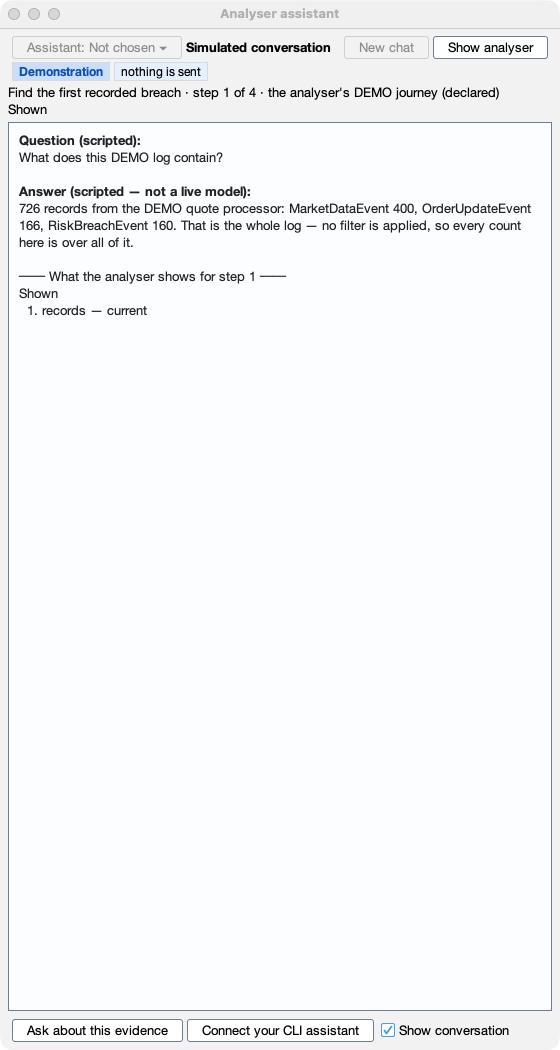
Step 1 — The whole DEMO log: every record, no filter
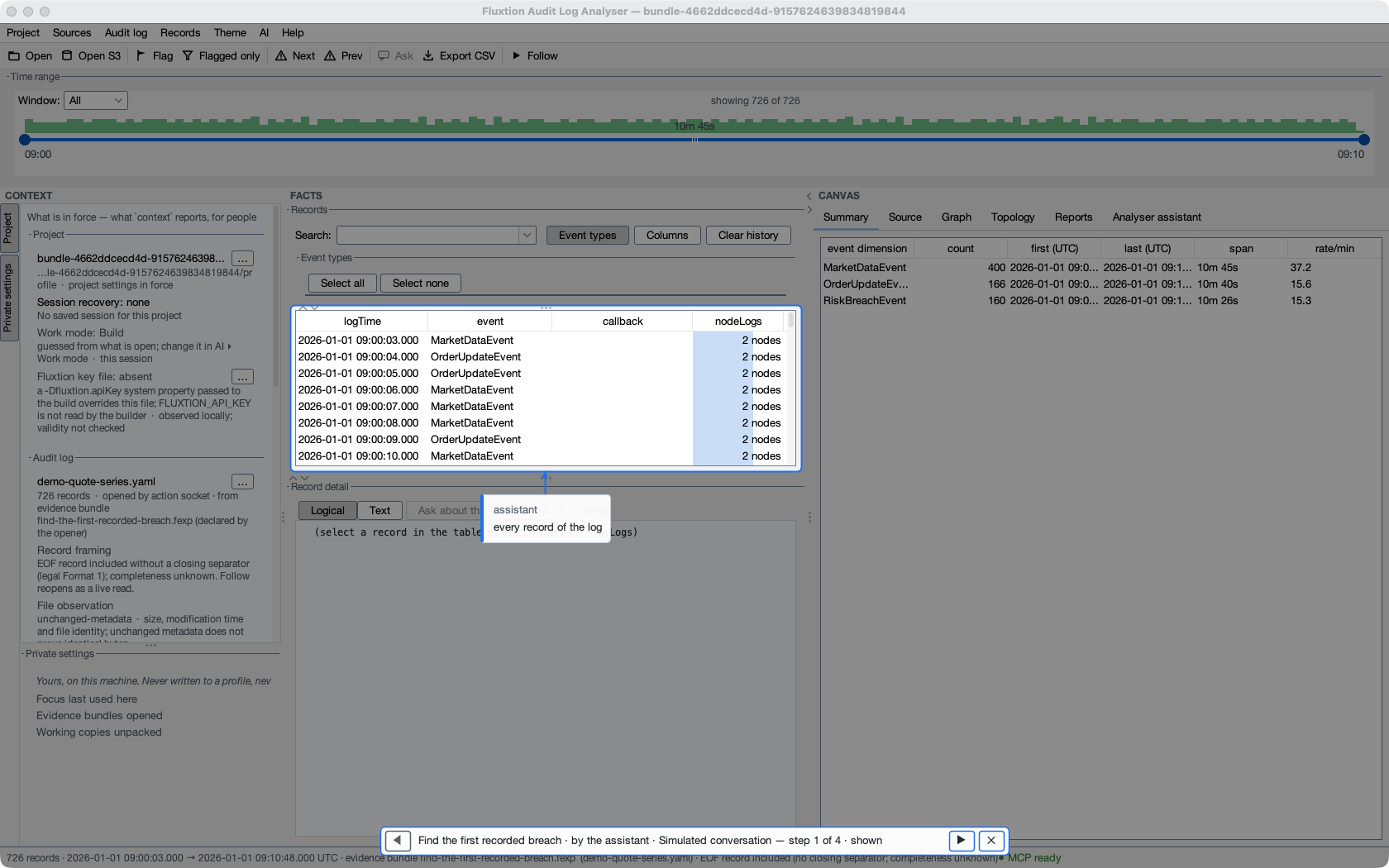
Question (scripted): What does this DEMO log contain?
Answer (scripted — not a live model): 726 records from the DEMO quote processor: MarketDataEvent 400, OrderUpdateEvent 166, RiskBreachEvent 160. That is the whole log — no filter is applied, so every count here is over all of it.
What the analyser showed: shown — records: current
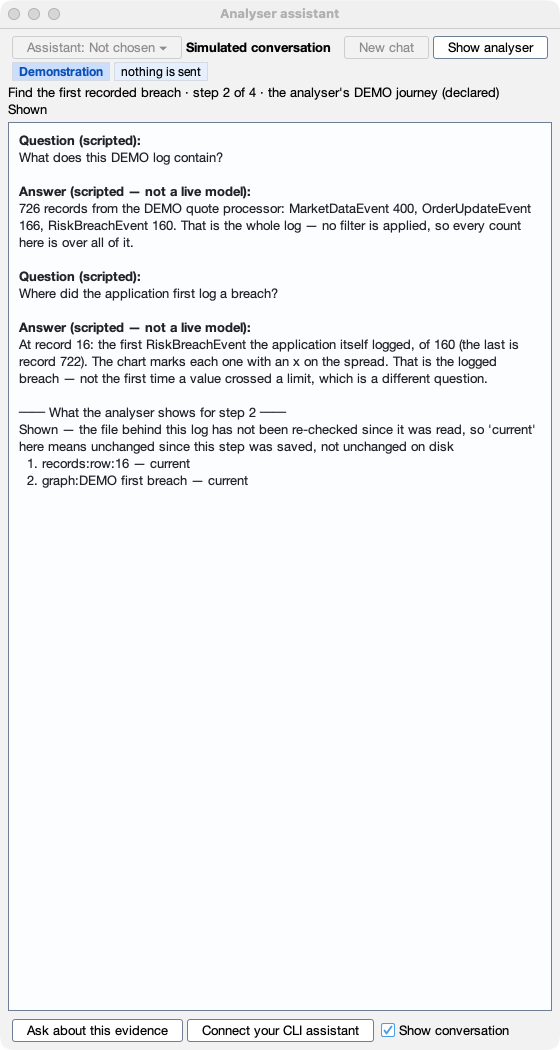
Step 2 — The first record where the application logged a breach
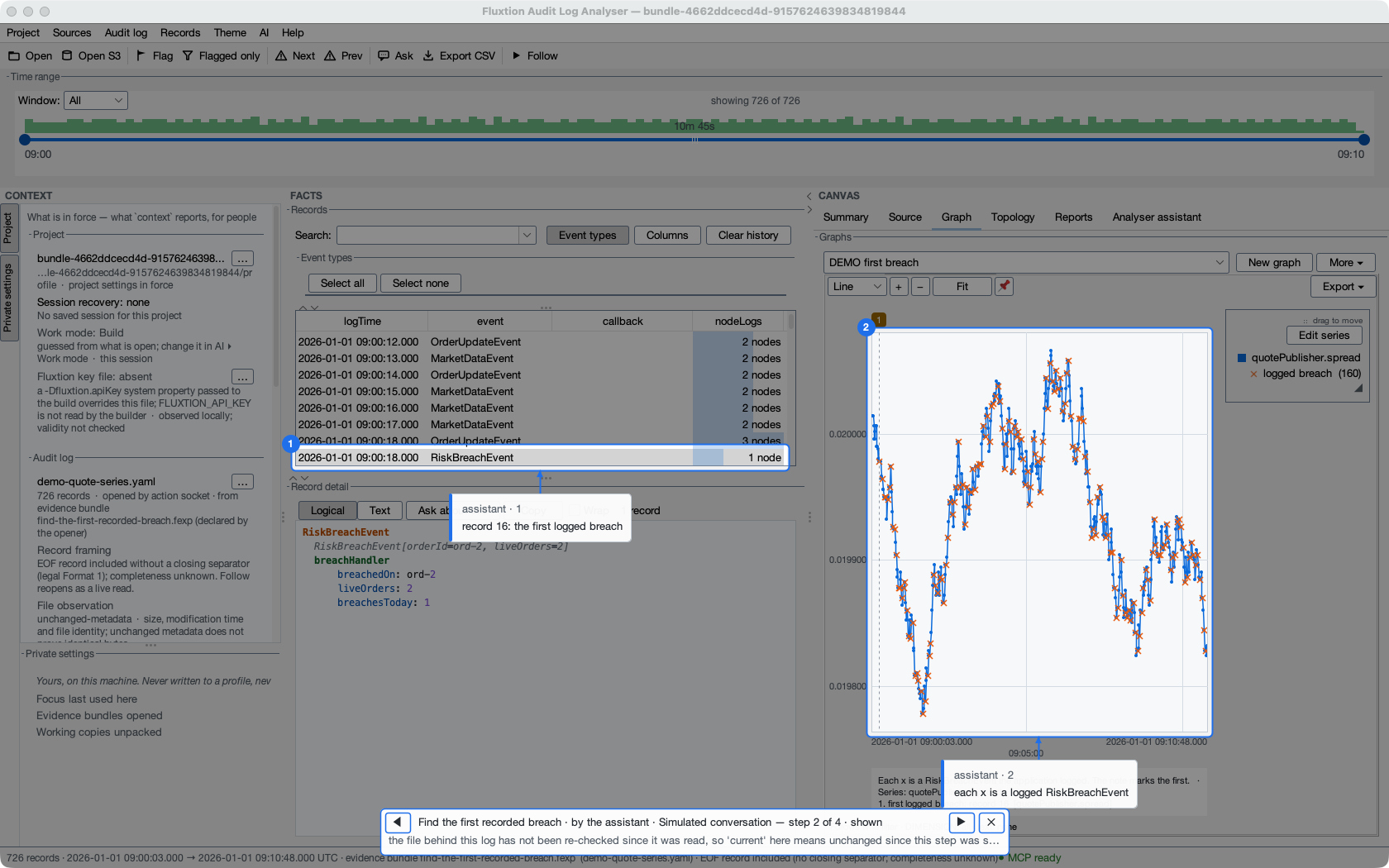
Question (scripted): Where did the application first log a breach?
Answer (scripted — not a live model): At record 16: the first RiskBreachEvent the application itself logged, of 160 (the last is record 722). The chart marks each one with an x on the spread. That is the logged breach — not the first time a value crossed a limit, which is a different question.
What the analyser showed: shown — records:row:16: current; graph:DEMO first breach: current
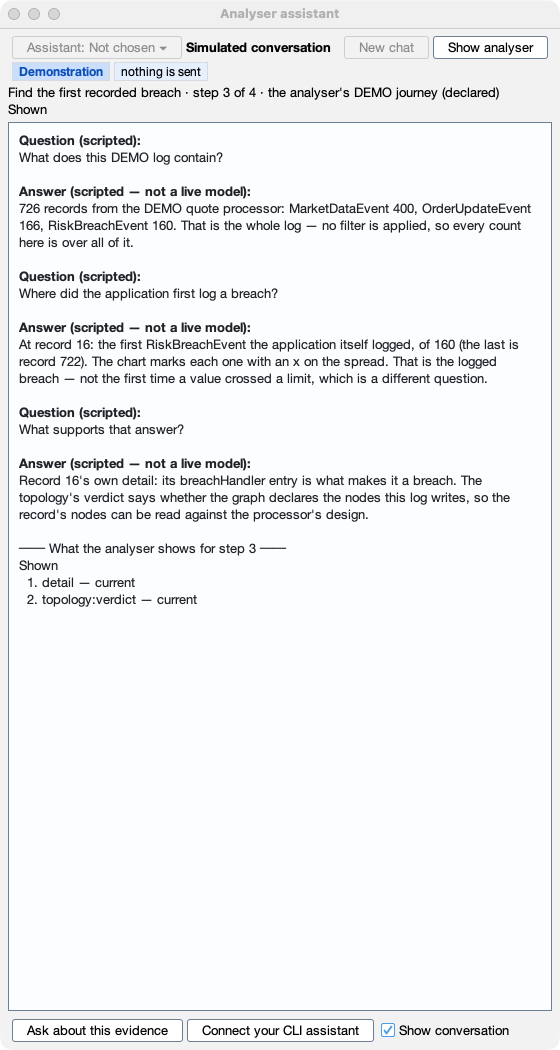
Step 3 — What supports it: the record's own detail and the pairing verdict
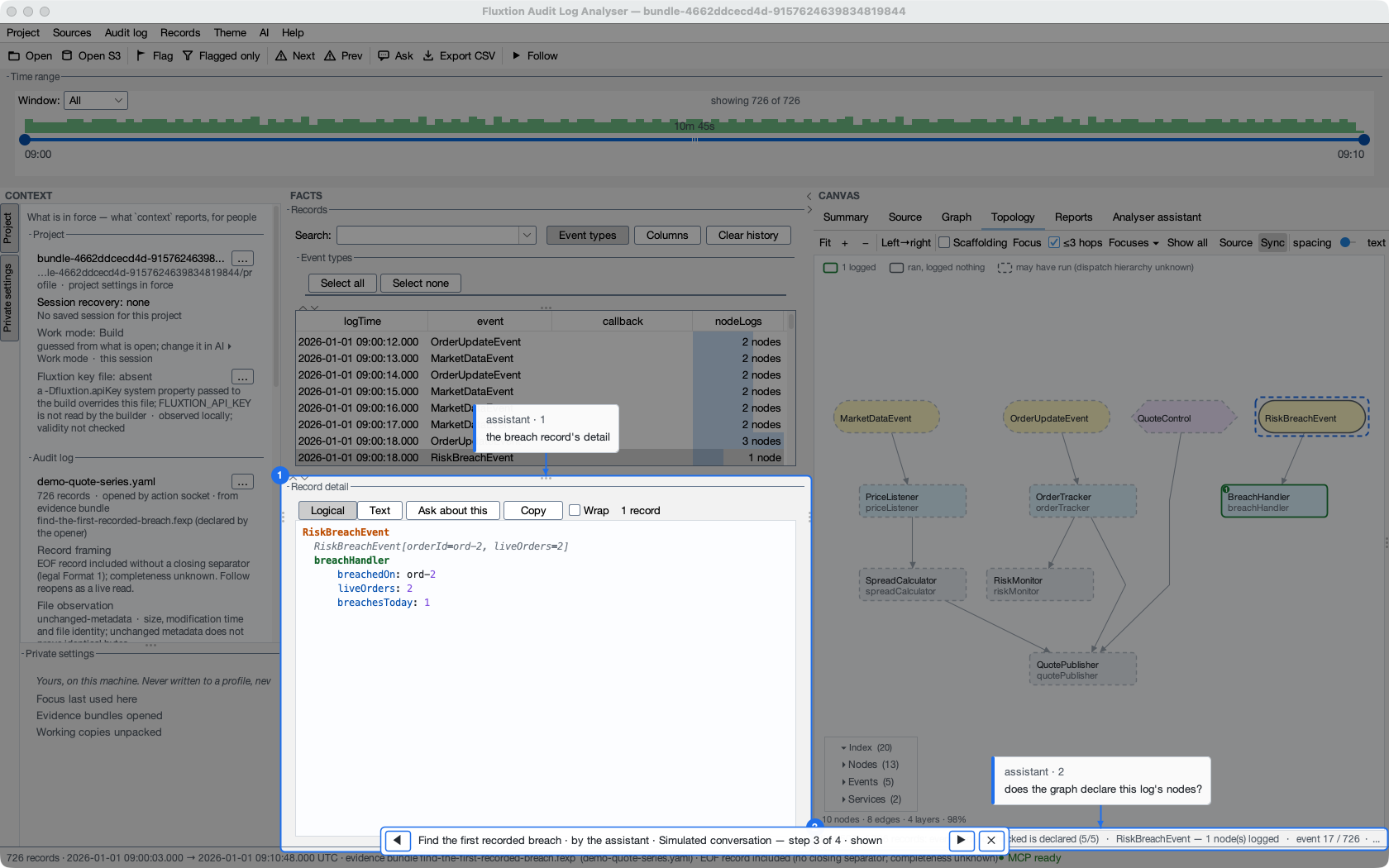
Question (scripted): What supports that answer?
Answer (scripted — not a live model): Record 16's own detail: its breachHandler entry is what makes it a breach. The topology's verdict says whether the graph declares the nodes this log writes, so the record's nodes can be read against the processor's design.
What the analyser showed: shown — detail: current; topology:verdict: current
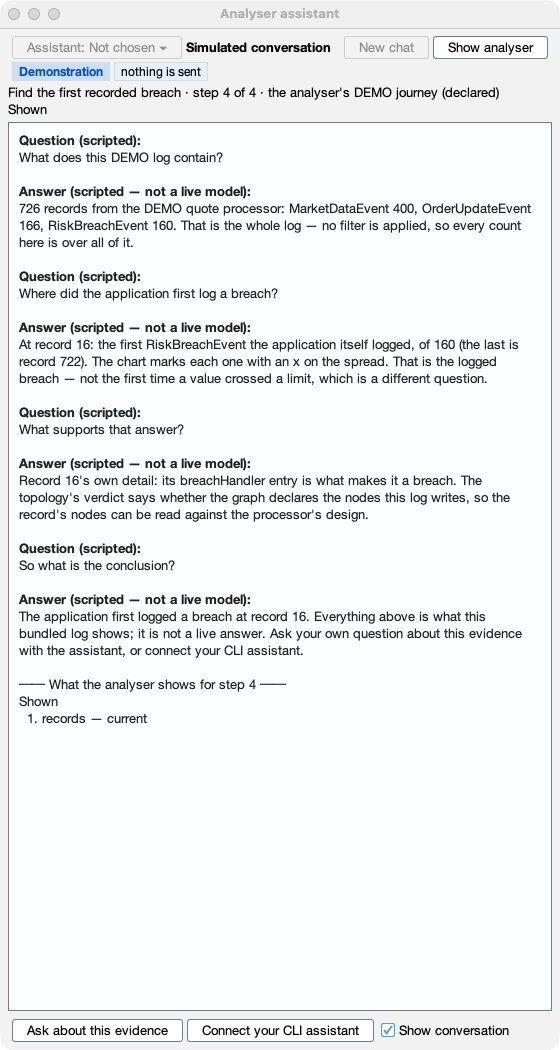
Step 4 — The conclusion, and where to go next
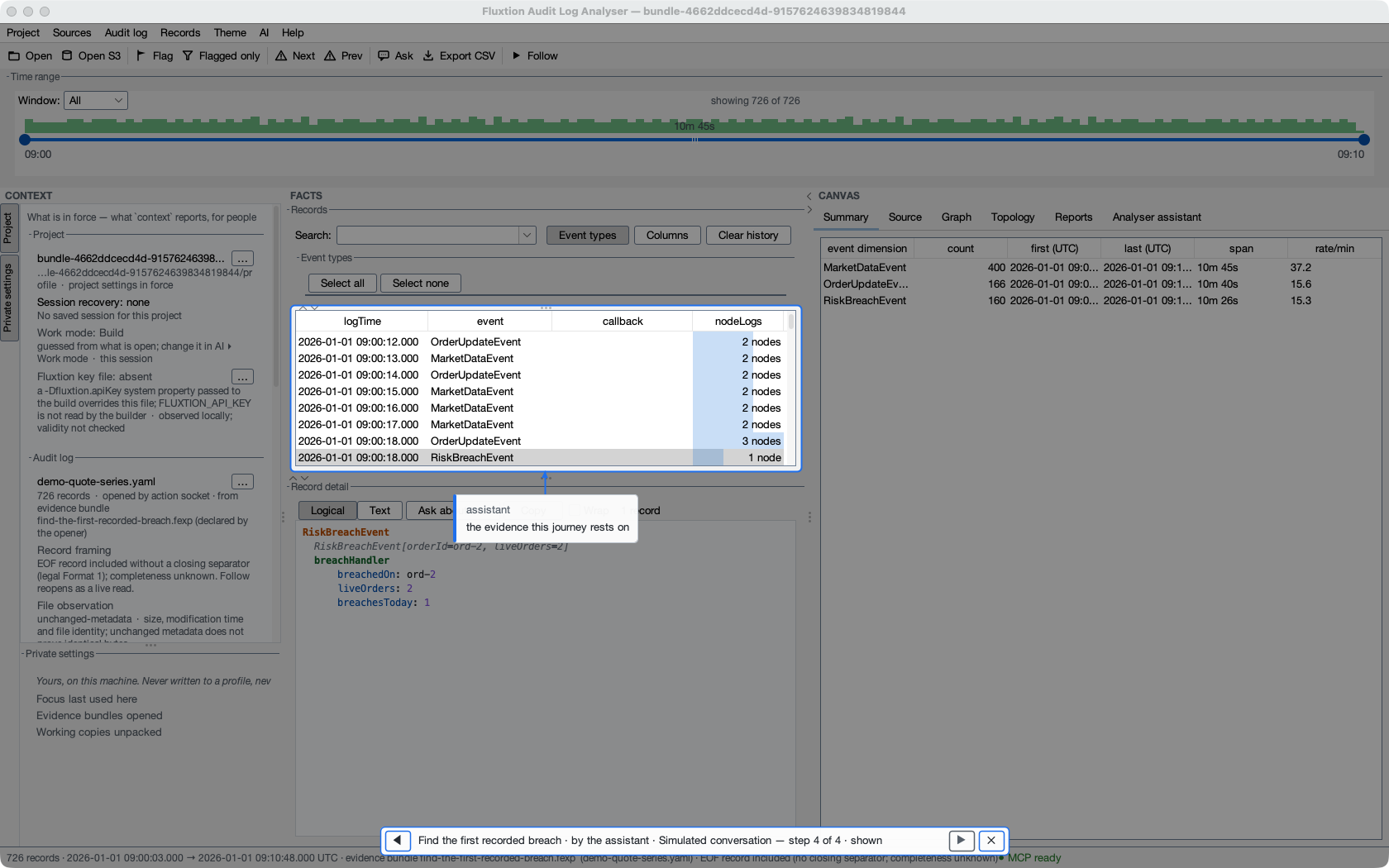
Question (scripted): So what is the conclusion?
Answer (scripted — not a live model): The application first logged a breach at record 16. Everything above is what this bundled log shows; it is not a live answer. Ask your own question about this evidence with the assistant, or connect your CLI assistant.
What the analyser showed: shown — records: current
Your own questions
The live assistant needs a provider of your own (the In-app assistant card, or Settings ▸ LLM), or none at all if you connect a CLI assistant instead — see Connect your client. With no provider configured it sends nothing, and says so:
(This screenshot is captured natively with --docked; it is not in this build.)
Regenerate with mvn package && python3 tools/capture-journey.py. The dialogue's numbers come from the run; the images are native window captures under an isolated home with only the DEMO data.